Welcome to the blog page of Pushpanjali Eye Care, one of the best eye hospitals in Kolkata.
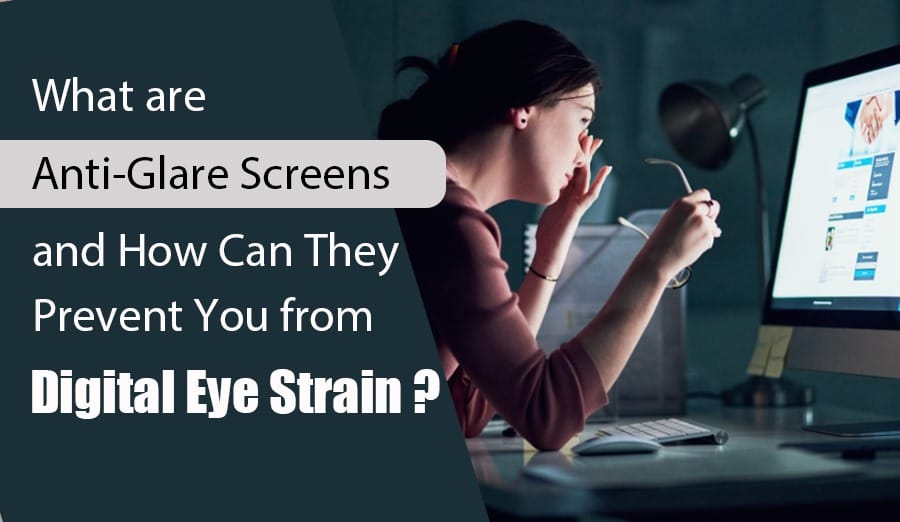
In today’s digital age, our reliance on screens has increased exponentially, whether for work, education, or leisure. However, prolonged screen time can lead to a condition known as Digital Eye Strain (DES), characterized by symptoms like dry eyes, headaches, blurred vision, and neck or shoulder pain. At Pushpanjali Eye Care, one of the best eye hospitals in Kolkata, we understand the importance of preventing DES and promoting eye health through innovative solutions like anti-glare screens.
Understanding Anti-Glare Screens
Anti-glare screens, also known as anti-reflective (AR) or glare-reducing screens, represent a technological innovation tailored for modern electronic devices such as computer monitors, laptops, tablets, and smartphones. These specialized overlays or coatings are meticulously engineered to minimize reflections and glare emanating from device screens. By effectively reducing the amount of light that reflects off the screen, anti-glare screens enhance visibility and reduce discomfort during prolonged use. This improvement in visual clarity is particularly beneficial in environments where ambient light sources or direct sunlight can create distracting reflections on the screen surface.
The design and application of anti-glare screens aim to optimize user experience by mitigating the visual strain caused by glare. By diminishing reflections, these screens help maintain screen clarity and improve readability, allowing users to engage with their devices for extended periods without experiencing significant eye fatigue. This technological advancement enhances comfort and supports long-term eye health by minimizing the need for excessive squinting or adjusting viewing angles, thereby promoting a more relaxed and productive digital experience.
How Anti-Glare Screens Help Prevent Digital Eye Strain
Anti-glare screens are essential in combating Digital Eye Strain (DES) by addressing multiple factors contributing to eye discomfort during prolonged screen use. Firstly, these screens work by minimizing reflections and glare from device screens, significantly enhancing screen clarity and readability. This reduction in glare helps alleviate the strain on the eyes, reducing the need for them to exert excessive effort to focus on the screen.
Moreover, anti-glare screens enhance the contrast of the display, making text and images appear sharper and more distinct. By improving contrast, these screens reduce the necessity for users to squint or adjust their head positions to view content clearly, thereby minimizing potential strain on the neck and shoulder muscles.
Additionally, many anti-glare screens are equipped with blue light filters. Blue light emitted from screens has been linked to disruptions in sleep patterns and increased eye fatigue. The incorporation of these filters helps diminish exposure to harmful blue light wavelengths, thus enhancing overall eye comfort and reducing the risk of long-term eye health issues.
Furthermore, prolonged screen exposure often leads to dry eyes due to increased tear evaporation caused by intense screen light. Anti-glare screens aid in maintaining natural moisture levels in the eyes by moderating the intensity of light exposure, thereby mitigating the occurrence of dryness and associated discomfort.
Together, these features make anti-glare screens indispensable in the prevention and management of Digital Eye Strain, ensuring a more comfortable and healthier digital viewing experience for users across various electronic devices.
Why Choose Pushpanjali Eye Care?
When you choose Pushpanjali Eye Care, recognized as a premier eye hospital in Kolkata, you opt for a commitment to proactive eye health. We prioritize preventive strategies such as advocating for the use of anti-glare screens to effectively alleviate the symptoms associated with Digital Eye Strain. Our team of expert ophthalmologists champions these screens as integral components of a holistic approach to maintaining optimal eye health. This approach includes regular eye examinations and ergonomic optimizations tailored to enhance workplace setups, ensuring comprehensive care that prioritizes your long-term visual well-being.
Anti-glare screens, also known as anti-reflective or glare-reducing screens, are specialized overlays or coatings applied to electronic devices like computers, laptops, tablets, and smartphones. They work by minimizing reflections and glare from the screen surface.
How do anti-glare screens prevent Digital Eye Strain (DES)?
Anti-glare screens enhance screen clarity and readability by reducing reflections and glare. This reduces the strain on your eyes, as you don’t have to exert as much effort to focus on the screen. It also helps in maintaining comfortable viewing conditions during extended screen use.
Do anti-glare screens improve contrast?
Yes, anti-glare screens improve the contrast of the display, making text and images sharper and easier to view. This enhancement in contrast reduces the need for squinting and adjusting head positions, which can strain neck and shoulder muscles.
Do anti-glare screens protect against blue light?
Some anti-glare screens come with blue light filters. Blue light emitted from screens can disrupt sleep patterns and cause eye fatigue. These filters help reduce exposure to harmful blue light, thereby improving overall eye comfort and reducing the risk of eye strain.
Can anti-glare screens help with dry eyes?
Staring at screens for prolonged periods can lead to dry eyes due to increased tear evaporation. Anti-glare screens can contribute to maintaining natural moisture levels in the eyes by reducing the intensity of light that causes evaporation of tears, thus minimizing dry eye symptoms.
Are anti-glare screens suitable for all electronic devices?
Yes, anti-glare screens are available for a wide range of electronic devices, including computers, laptops, tablets, and smartphones. They are designed to fit specific screen sizes and can be easily applied or installed as overlays or coatings.
Conclusion
Integrating anti-glare screens into your digital routine offers substantial benefits in mitigating Digital Eye Strain and fostering comprehensive eye health. At Pushpanjali Eye Care, we remain dedicated to enlightening our patients on the critical role of preventive measures and delivering tailored solutions for optimal eye care. We invite you to explore our trusted services as Kolkata’s foremost eye hospital, where our commitment to safeguarding your vision in the digital age is unwavering.
To delve deeper into safeguarding your eye health or to arrange a consultation, reach out to Pushpanjali Eye Care today. Let us partner with you in preserving your visual wellness for years to come.
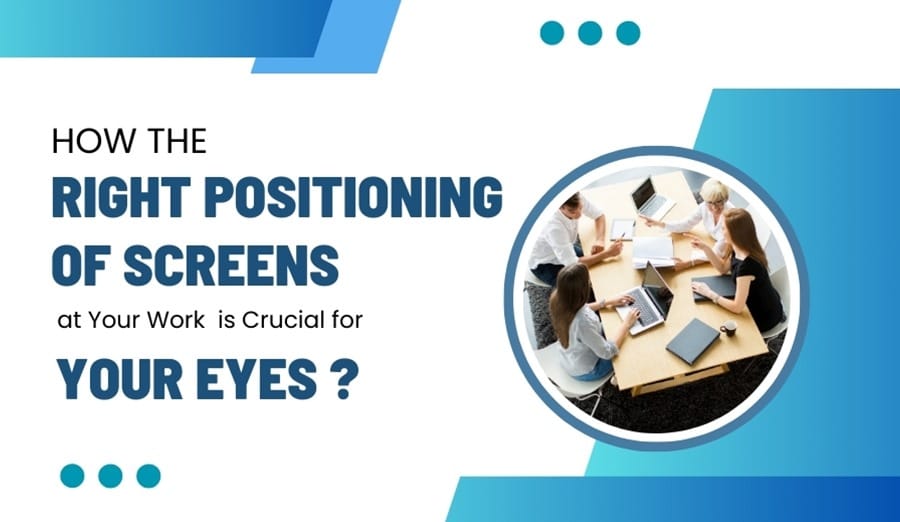
In today’s digital age, screens are ubiquitous, both at work and at home. However, prolonged exposure to screens can have detrimental effects on our eyes. Ensuring the right positioning of screens is a critical step to safeguarding your eye health. At Pushpanjali Eye Hospital, one of the best eye hospitals in Kolkata, we emphasize the importance of proper screen placement to prevent eye strain and other related issues.
Table of Contents
The Importance of Screen Positioning
1. Reducing Eye Strain
One of the most prevalent issues for individuals who spend long hours in front of screens is eye strain. When your screen is improperly positioned, your eyes have to exert extra effort to focus, leading to discomfort and fatigue. To alleviate eye strain, it is crucial to position your screen approximately 20-30 inches away from your eyes and at eye level. This setup ensures that your eyes maintain a natural and comfortable position, significantly reducing strain and enhancing overall visual comfort.
2. Preventing Dry Eyes
Extended periods of screen time can lead to a decrease in blink rate, which in turn causes dry eyes. Proper screen positioning can play a pivotal role in mitigating this issue. Ensure that your screen is slightly below eye level; this encourages a natural downward gaze, helping to keep your eyes partially closed and moist. At Pushpanjali Eye Hospital, we frequently encounter patients suffering from dry eye syndrome due to poor screen habits. We emphasize the importance of correct screen positioning to help maintain eye moisture and prevent dryness.
3. Minimizing Glare and Reflections
Glare from screens can cause significant discomfort and visual disturbances, making it harder to focus and increasing eye strain. To minimize glare, position your screen at a right angle to light sources, such as windows or overhead lights. Additionally, consider using anti-glare screen protectors to further reduce glare and enhance visual comfort. As one of the best eye hospitals in Kolkata, Pushpanjali Eye Hospital advocates for these simple adjustments to reduce glare, improve screen visibility, and protect your eyes from unnecessary strain.
Tips for Optimal Screen Positioning
1. Adjust Your Screen Height
Your screen should be positioned so that the top of the monitor is at or slightly below eye level. This encourages a slight downward gaze, reducing the risk of neck strain and promoting a natural head position.
2. Maintain Proper Distance
Keep your screen at an arm’s length away (about 20-30 inches). This distance helps reduce the effort your eyes need to focus on the screen. If you find yourself leaning forward to read text, consider increasing the font size rather than moving closer to the screen.
3. Position Your Screen to Avoid Reflections
Ensure your screen is placed to avoid reflections from windows and lights. Adjusting the angle of your screen or using shades and blinds can help control natural light and reduce glare. This setup can significantly enhance visual comfort and productivity.
4. Use Proper Lighting
The lighting in your workspace plays a crucial role in reducing eye strain. Avoid placing your screen directly in front of or behind a window, as the contrast between the screen and natural light can strain your eyes. Instead, use adjustable task lighting and dim overhead lights to create a balanced environment.
5. Take Regular Breaks
No matter how well your screen is positioned, taking regular breaks is essential. Follow the 20-20-20 rule: every 20 minutes, take a 20-second break and look at something 20 feet away. This practice helps relax your eye muscles and reduce fatigue.
The Role of Pushpanjali Eye Hospital in Eye Health
At Pushpanjali Eye Hospital, a leading eye hospital in Kolkata, we understand the significant impact screen time can have on eye health. Our experienced ophthalmologists provide comprehensive eye care, including guidance on proper screen usage and positioning. Regular eye check-ups are essential for early detection and management of any eye-related issues caused by prolonged screen exposure.
FAQ
1. Why is the correct screen positioning important for my eyes?
Correct screen positioning is essential to reduce eye strain and discomfort. When your screen is at the right height and distance, your eyes don’t have to work as hard to focus, preventing fatigue and potential long-term vision issues. This helps maintain optimal eye health and enhances overall productivity.
2. What is the ideal distance for my screen to reduce eye strain?
The ideal distance for your screen is about 20-30 inches from your eyes, roughly an arm’s length away. This distance helps your eyes focus more comfortably and reduces the risk of strain. If you find yourself leaning forward, consider adjusting the font size rather than moving closer to the screen.
3. How should my screen be positioned to prevent dry eyes?
To prevent dry eyes, position your screen slightly below eye level. This encourages a natural downward gaze, which helps keep your eyes partially closed and reduces the evaporation of tears. Proper screen height and angle can significantly alleviate dryness and discomfort.
4. What role does screen angle play in reducing glare and reflections?
Screen angle is crucial in minimizing glare and reflections, which can strain your eyes. Position your screen at a right angle to light sources like windows and overhead lights. Using anti-glare screen protectors and adjusting the screen tilt can further enhance visual comfort and reduce eye strain.
5. How can regular breaks complement proper screen positioning for eye health?
Regular breaks are vital, even with optimal screen positioning. Following the 20-20-20 rule—every 20 minutes, look at something 20 feet away for 20 seconds—helps relax your eye muscles and reduces fatigue. Combining proper screen positioning with regular breaks ensures comprehensive protection for your eyes.
Conclusion
Proper screen positioning is a simple yet effective way to protect your eyes from the adverse effects of prolonged screen time. By following these guidelines, you can create a more comfortable and eye-friendly workspace. At Pushpanjali Eye Hospital, one of the best eye hospitals in Kolkata, we are committed to helping you maintain optimal eye health through expert advice and quality eye care services. Visit us to learn more about how to protect your eyes in today’s digital world.
In our modern world, where artificial lighting and digital screens dominate our daily lives, the significance of natural light for maintaining eye health is often overlooked. At Pushpanjali Eye Hospital, one of the best eye hospitals in Kolkata, we emphasize the importance of natural light for optimal eye health and overall well-being. Let’s explore why and how natural light benefits our eyes and what steps you can take to ensure you’re getting enough of it.
Table of Contents
1. The Benefits of Natural Light for Eye Health
Reduces Eye Strain
Exposure to natural light significantly alleviates eye strain, which is a common issue in today’s digital age. Artificial lighting, particularly from screens, can lead to eye fatigue, discomfort, and headaches due to its unbalanced and intense nature. In contrast, natural light provides a more balanced spectrum that is gentler on the eyes. This reduces the symptoms associated with prolonged exposure to artificial light sources. At Pushpanjali Eye Hospital, an eye hospital in Kolkata, we advocate for regular breaks from screen time and encourage spending more time outdoors. This simple practice helps mitigate the adverse effects of continuous screen exposure, promoting overall eye comfort and health.
2. Improves Mood and Sleep Patterns
Natural light is a vital component in regulating our circadian rhythms—the internal clock that governs our sleep-wake cycles. Exposure to natural light during the day not only boosts mood and energy levels but also ensures better sleep quality at night. A well-regulated sleep pattern is crucial for maintaining healthy eyes, as restful sleep allows for proper eye restoration and function. By incorporating more natural light into your daily routine, you can enhance both your mental well-being and your eye health. As an eye hospital in Kolkata, Pushpanjali Eye Hospital highlights the importance of natural light in fostering a holistic approach to eye care.
3. Prevents Myopia in Children
Research indicates that children who spend ample time outdoors in natural light have a lower risk of developing myopia (nearsightedness). The bright light found outdoors helps the eyes maintain proper focus and prevents the elongation of the eyeball—a primary cause of myopia. Encouraging children to engage in outdoor activities not only promotes their overall physical health but also supports their visual development. This proactive measure is a simple yet effective strategy to foster a healthy vision in the younger generation.
4. Enhances Visual Performance
Natural light delivers a full spectrum of colors, enhancing the eyes’ ability to distinguish between different shades with greater accuracy. This improved color perception and clarity are crucial for performing tasks that require fine detail and precise color differentiation. Ensuring that your workspaces and living areas are well-lit with natural light can significantly enhance visual comfort and efficiency. By optimizing these environments, you can reduce eye strain and boost productivity, leading to better overall eye health.
How to Incorporate More Natural Light into Your Daily Routine
Spend Time Outdoors The easiest way to benefit from natural light is to spend more time outside. Aim for at least 30 minutes to an hour of outdoor activity each day. Whether it’s a walk in the park, a morning jog, or simply relaxing in your garden, these activities can provide your eyes with the natural light they need.
Optimize Your Living and Working Spaces Ensure that your home and office have plenty of natural light. Arrange your furniture to maximize exposure to windows and use light-colored paint and reflective surfaces to enhance the effect of natural light. Skylights and larger windows can also be great additions to any space to allow more sunlight in.
Take Regular Breaks from Screens The 20-20-20 rule is a simple yet effective way to reduce eye strain from screens. Every 20 minutes, take a 20-second break and look at something 20 feet away. If possible, do this near a window to get a dose of natural light during your break.
Use Natural Light in Your Work Routine Whenever possible, try to work near a source of natural light. Position your desk by a window and use natural daylight for reading and other detailed tasks. This reduces dependence on artificial lighting and provides a more comfortable visual environment.
Install Blinds or Curtains to Control Glare While natural light is beneficial, direct sunlight can sometimes cause glare. Use blinds or curtains to diffuse the light and prevent harsh reflections on screens and other surfaces. This ensures a balanced and comfortable level of natural light in your spaces.
FAQs
1. How does natural light reduce eye strain compared to artificial light?
Answer:Natural light is more balanced and easier on the eyes compared to artificial light, especially from screens. Artificial lighting often causes eye fatigue, discomfort, and headaches due to its intensity and imbalance. Natural light, on the other hand, provides a full spectrum of colors that are gentle on the eyes, reducing the symptoms of eye strain and improving overall comfort.
2. In what ways does natural light improve mood and sleep patterns?
Answer: Natural light plays a crucial role in regulating our circadian rhythms, which control our sleep-wake cycles. Exposure to natural light during the day enhances mood and energy levels, leading to better sleep at night. Improved sleep quality is essential for maintaining healthy eyes, as it allows for proper rest and recovery, reducing the risk of eye fatigue and discomfort.
3. Can natural light help prevent myopia in children?
Answer:Yes, studies have shown that children who spend more time outdoors in natural light are less likely to develop myopia (nearsightedness). The bright outdoor light helps maintain proper focus and reduces the elongation of the eyeball, a primary cause of myopia. Encouraging outdoor activities for children is an effective way to promote healthy vision and prevent myopia.
4. How does natural light enhance visual performance?
Answer:Natural light provides a full spectrum of colors, helping the eyes distinguish between different shades more accurately. This enhances visual performance, making it easier to perform tasks that require fine detail and color differentiation. Ensuring that workspaces and living areas have ample natural light can significantly improve visual comfort, reducing eye strain and enhancing productivity.
5. What are some practical ways to increase exposure to natural light for better eye health?
Answer:To increase exposure to natural light, spend more time outdoors, especially during daylight hours. Optimize your living and working spaces by arranging furniture to maximize exposure to windows, using light-colored paint and reflective surfaces, and installing skylights or larger windows. Additionally, taking regular breaks from screens and following the 20-20-20 rule—every 20 minutes, look at something 20 feet away for 20 seconds—can help mitigate the effects of prolonged artificial light exposure.
Conclusion
Incorporating natural light into your daily routine is a simple yet effective way to enhance your eye health. At Pushpanjali Eye Hospital, one of the best eye hospitals in Kolkata, we understand the critical role that natural light plays in maintaining healthy vision. By spending more time outdoors, optimizing your living and working spaces, and taking regular breaks from screens, you can significantly reduce eye strain and promote overall eye health. Trust Pushpanjali Eye Hospital, the leading eye hospital in Kolkata, to provide expert advice and comprehensive eye care to keep your vision sharp and healthy.
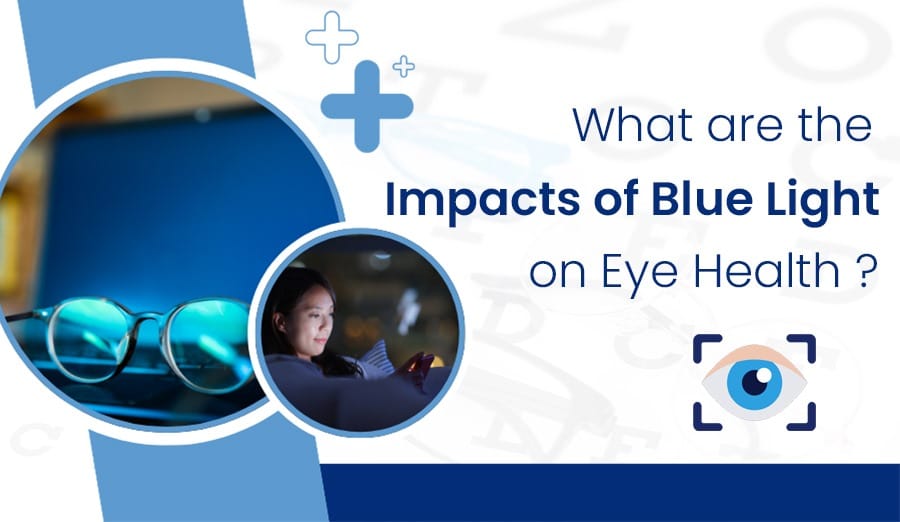
In today’s digital age, we are constantly exposed to screens emitting blue light—from smartphones and tablets to computer screens and LED televisions. While blue light is a natural part of sunlight and has benefits such as regulating our sleep-wake cycles, excessive exposure, particularly from artificial sources, can pose risks to our eye health. As a leading eye hospital in Kolkata, Pushpanjali Eye Hospital aims to shed light on why blue light is harmful to the eyes and provide essential tips on how to protect it.
Table of Contents
Why is Blue Light Harmful?
Blue light, a component of the visible light spectrum, has garnered attention due to its potential effects on eye health, particularly in the context of modern digital lifestyles. At Pushpanjali Eye Hospital, a leading eye hospital in Kolkata, we emphasize the importance of understanding these effects and adopting measures to safeguard our vision.
High Energy and Penetration into the Eye
Blue light is characterized by its short wavelength and high energy levels within the visible light spectrum. This unique combination enables blue light to penetrate deeply into the eye, reaching the retina—the light-sensitive tissue at the back of the eye responsible for processing visual information. The ability of blue light to penetrate deeply into the eye raises concerns about its potential to cause oxidative stress and damage to retinal cells over time.
Impact on Retinal Cells and Risk of AMD
Prolonged exposure to blue light has been linked to potential damage to retinal cells. Research suggests that chronic exposure to blue light may contribute to oxidative damage in retinal tissues, which can lead to cellular dysfunction and compromise the integrity of the retina. This damage is particularly concerning as it is associated with an increased risk of age-related macular degeneration (AMD), a progressive eye condition that affects central vision and is a leading cause of vision loss among older adults globally.
Disruption of Sleep Patterns
The human body’s natural sleep-wake cycle is regulated by the production of melatonin, a hormone that induces sleepiness and maintains the body’s circadian rhythm. Exposure to blue light, particularly in the evening and nighttime, can disrupt melatonin production. Blue light exposure from digital screens and artificial lighting suppresses melatonin production, leading to difficulty falling asleep and disrupted sleep patterns. This disruption not only affects sleep quality but also impacts overall health, cognitive function, and mood.
Digital Eye Strain and Symptoms
Extended use of digital devices that emit blue light, such as computers, smartphones, and tablets, can contribute to digital eye strain, also known as computer vision syndrome. Symptoms of digital eye strain include dry eyes, blurred vision, headaches, and neck pain. Factors contributing to digital eye strain include prolonged screen use without breaks, improper viewing distances or angles, poor lighting conditions, and underlying vision problems.
How to Protect Your Eyes from Blue Light?
Use Blue Light Filters
Consider equipping your devices with blue light filters or screen protectors. These filters reduce the amount of blue light emitted from screens while maintaining visibility. This can significantly lessen the strain on your eyes during prolonged screen use.
Adjust Screen Settings
Most modern devices offer options to adjust brightness and color temperature settings. Lowering the brightness and opting for warmer color tones (which emit less blue light) can make screen time easier on the eyes. Explore your device’s settings to find these adjustments and configure them for optimal comfort.
Take Breaks and Blink Often
Adhering to the 20-20-20 rule can help mitigate eye strain. Every 20 minutes, take a break and focus on something 20 feet away for at least 20 seconds. This practice not only reduces eye strain but also encourages regular blinking, which keeps your eyes moist and refreshed.
Limit Screen Time Before Bed
Limiting screen use, especially from smartphones and tablets, is advisable at least an hour before bedtime. Exposure to blue light during the evening can interfere with your sleep cycle. Utilize apps or device settings that reduce blue light emission during nighttime use to create a more conducive environment for restful sleep.
Regular Eye Exams
Schedule regular comprehensive eye exams with an eye care specialist, such as those at Pushpanjali Eye Hospital in Kolkata. Regular check-ups can help detect early signs of eye conditions and ensure that your eyes remain healthy. Early detection and intervention are key to maintaining optimal eye health.
FAQ
1. What is blue light, and where does it come from?
Blue light is a high-energy, short-wavelength light that is part of the visible light spectrum. It is emitted by the sun and artificial sources such as LED lights, computer screens, smartphones, and tablets. While natural exposure to blue light during the day can help regulate our sleep-wake cycles, excessive exposure to digital devices can be harmful to eye health.
2. How does blue light affect eye health?
Excessive exposure to blue light can cause digital eye strain, which includes symptoms like dry eyes, headaches, blurred vision, and difficulty focusing. Prolonged exposure may also contribute to long-term issues like macular degeneration. Blue light penetrates the eye more deeply than other types of light, potentially leading to retinal damage over time.
3. What are some ways to protect my eyes from blue light?
To protect your eyes from blue light, consider using blue light filters or screen protectors on your devices, adjusting screen brightness and color settings to warmer tones, and following the 20-20-20 rule—take a 20-second break to look at something 20 feet away every 20 minutes. Additionally, limit screen time, especially before bed, and use apps or device settings that reduce blue light emission during nighttime.
4. Are blue light glasses effective in reducing eye strain?
Blue light glasses are designed to filter out blue light emitted by digital screens. They can be effective in reducing symptoms of digital eye strain, such as headaches and eye fatigue. However, it’s important to choose high-quality glasses from reputable brands and consult with an eye care professional to determine if they are right for you.
5. How often should I have my eyes checked if I frequently use digital devices?
Regular eye exams are crucial for maintaining eye health, especially if you frequently use digital devices. Pushpanjali Eye Hospital recommends scheduling a comprehensive eye exam at least once a year. These exams can help detect early signs of eye conditions and ensure that any necessary interventions are made to protect your vision and overall eye health.
Pushpanjali Eye Hospital: Your Partner in Eye Care
As one of the best eye hospitals in Kolkata, Pushpanjali Eye Hospital is committed to providing comprehensive eye care services to our community. Our team of experienced ophthalmologists and eye care professionals is dedicated to educating patients about eye health and offering personalized treatment plans. Whether you need routine eye exams, treatment for eye conditions, or advice on protecting your eyes from blue light, we are here to support you.
Conclusion
In conclusion, while blue light is a common part of modern life, understanding its potential risks and taking proactive steps to protect your eyes are essential. By incorporating these tips into your daily routine and seeking guidance from trusted eye care professionals like Pushpanjali Eye Hospital, you can safeguard your vision and promote long-term eye health. Together, let’s prioritize eye care and ensure a brighter, clearer future for your eyes.
Welcome to the blog page of Pushpanjali, one of the best eye hospitals in Kolkata. In this blog, we will share with you some of the ways to maintain proper lighting to prevent digital eye strain.
In today’s digital age, where screens dominate our work and leisure time, it’s crucial to pay attention to lighting conditions to protect our eyes from digital eye strain. As one of the best eye hospitals in Kolkata, Pushpanjali Eye Care emphasizes the importance of proper lighting for eye health. Here’s a comprehensive guide on how to maintain optimal lighting to prevent digital eye strain:
Table of Contents
1. Adjust Ambient Lighting:
Adjusting Ambient Lighting to Reduce Eye Strain:
Proper ambient lighting is essential for maintaining eye health, especially in environments where digital screens are extensively used. Here are some effective strategies:
Utilize Natural Light: Position your workstation near windows to maximize exposure to natural light. Natural light not only enhances visibility but also helps reduce glare on screens. It provides a balanced spectrum of light that is soothing and minimizes eye strain. Ensuring that the light does not directly hit the screen helps in maintaining comfort during prolonged use.
Optimize Artificial Lighting: Artificial lighting should complement natural light to create an optimal working environment:
Adjustable Fixtures: Use lighting fixtures with adjustable settings to control brightness levels. This allows you to customize the lighting based on your tasks and preferences.
Avoid Harsh Overhead Lighting: Harsh overhead lighting can cause glare and discomfort. Instead, opt for indirect or diffused lighting options that distribute light evenly across the workspace.
Choose the Right Bulbs: Select bulbs that mimic natural daylight, typically in the range of 5000 to 6500 Kelvin. These bulbs provide a color temperature that closely resembles natural sunlight, which is easier on the eyes and helps in reducing eye strain.
2. Minimizing Glare and Reflections:
To protect your eyes from discomfort and strain, it is crucial to address glare and reflections from light sources. Here are detailed strategies to help you achieve this:
Optimal Screen Positioning:
Perpendicular Placement: Position your computer screen perpendicular to windows to take advantage of natural light without causing direct reflections. This placement helps in diffusing the light evenly, reducing the intensity of glare.
Avoid Direct Light Sources: Refrain from positioning your screen directly in front of or behind light sources, such as windows or bright lamps. Direct light can create harsh reflections and glare on your screen, leading to eye strain and discomfort. Instead, choose a location where light comes from the side, providing indirect illumination.
Use of Anti-Glare Filters:
Screen Protection: Invest in anti-glare filters for your computer screens and other digital devices. These filters are designed to reduce reflections and glare, making it easier on your eyes during prolonged screen use.
Enhanced Comfort: Anti-glare filters work by diffusing the light that hits your screen, minimizing the sharpness of reflections. This not only reduces eye strain but also enhances overall visual comfort, allowing you to work for extended periods without discomfort.
3. Optimize Screen Settings:
Brightness and Contrast:
Adjust for Comfort: Ensure that the brightness and contrast settings of your screen are adjusted to levels that are comfortable for your eyes. The screen should neither be excessively bright nor too dim. A screen that is too bright in a dark room or too dark in a bright room can cause significant eye strain.
Environment Matching: Match your screen brightness with the ambient lighting of your environment. For example, in a brightly lit room, increase your screen brightness. Conversely, in a dimly lit room, reduce the screen brightness to avoid harsh contrast that can strain your eyes.
Font Size and Color:
Larger Font Sizes: Opt for larger font sizes to reduce the need for squinting and leaning forward to read text on the screen. This adjustment can help maintain a comfortable viewing distance and posture, reducing overall eye strain.
High-Contrast Color Schemes: Choose high-contrast color schemes for your screen settings to enhance readability. The most effective combination is black text on a white background. This contrast makes the text stand out more clearly, reducing the effort your eyes need to focus on the screen content.
Customization Options: Take advantage of the customization options available in your operating system or applications to further tailor font sizes and color schemes to your preference. Many systems offer accessibility settings designed to enhance visual comfort.
4. Take Regular Breaks:
Follow the 20-20-20 rule: Every 20 minutes, look at something 20 feet away for at least 20 seconds. This practice helps reduce eye fatigue caused by continuous screen use.
5. Use Task Lighting:
Supplement ambient lighting with task lighting directed onto your work area. Desk lamps with adjustable arms and brightness settings can provide focused light without straining your eyes.
6. Consider Ergonomics:
Ensure your workstation setup promotes good posture and reduces strain on your neck and shoulders. Proper ergonomics can indirectly reduce eye strain by promoting overall comfort.
FAQ
What is the best type of lighting to use while working on a computer to reduce eye strain?
To reduce eye strain while working on a computer, it is best to use a combination of natural and artificial lighting. Natural light is optimal, so position your workstation near windows to take advantage of it. For artificial lighting, use adjustable fixtures with bulbs that mimic natural daylight (5000-6500 Kelvin) to provide a balanced light spectrum that reduces eye fatigue.
How should I position my computer screen to minimize glare and reflections?
To minimize glare and reflections, position your computer screen perpendicular to windows and other light sources. Avoid placing the screen directly in front of or behind light sources, as this can create harsh reflections and glare. This positioning helps in diffusing the light evenly and reduces the intensity of reflections that can cause eye strain.
Are there any specific types of bulbs I should use to create a comfortable working environment?
Yes, use bulbs that mimic natural daylight with a color temperature of 5000-6500 Kelvin. These daylight-mimicking bulbs provide a balanced light spectrum that is gentle on the eyes and helps reduce eye strain. Avoid using overly bright or harsh overhead lighting, and consider using adjustable lighting fixtures to control brightness levels effectively.
How can I adjust my screen settings to further reduce digital eye strain?
To reduce digital eye strain, adjust your screen settings as follows:
Brightness and Contrast: Set your screen brightness and contrast to levels that match the ambient lighting of your workspace. Avoid having your screen too bright in a dark room or too dim in a bright room.
Font Size and Color: Choose larger font sizes and high-contrast color schemes (e.g., black text on a white background) to enhance readability and reduce the effort needed to focus on the screen content.
What are some additional tips to prevent digital eye strain while working?
In addition to optimizing lighting and screen settings, follow these tips to prevent digital eye strain:
Take Regular Breaks: Follow the 20-20-20 rule: every 20 minutes, look at something 20 feet away for at least 20 seconds to reduce eye fatigue.
Use Anti-Glare Filters: Consider using anti-glare filters on your screens to reduce reflections and glare.
Ergonomic Setup: Ensure your workstation is ergonomically set up to promote good posture and overall comfort, indirectly reducing eye strain.
Conclusion
Proper lighting is crucial in preventing digital eye strain and maintaining overall eye health. By implementing these tips, you can create a workspace that promotes comfortable and efficient screen use while reducing the risk of eye discomfort. For personalized eye care and expert advice, visit Pushpanjali Eye Care, a trusted eye hospital in Kolkata committed to providing comprehensive eye care services.
Remember, your eyes deserve the best care, and maintaining proper lighting is a step toward a healthier vision in the digital era.
For more information or to book an appointment, contact Pushpanjali Eye Care, one of the best eye hospitals in Kolkata.
Welcome to the blog page of Pushpanjali Eye Care, one of the best eye hospitals in Kolkata. In this blog, we will share some of the best eye exercises to relieve eye strain.
In today’s digital age, computers, smartphones, and other electronic devices have become ubiquitous. While these technologies offer numerous benefits, they also come with certain drawbacks, one of which is digital eye strain. Also known as computer vision syndrome, digital eye strain refers to a group of eye and vision-related problems that result from prolonged use of digital screens. At Pushpanjali Eye Hospital, one of the best eye hospitals in Kolkata, we are dedicated to helping our patients understand and manage this common issue.
Table of Contents
Understanding Digital Eye Strain
Digital eye strain occurs when your eyes get tired from intense use, such as staring at a computer monitor, tablet, or smartphone for long periods. Symptoms of digital eye strain include:
Eye discomfort and fatigue
Dry eyes
Headaches
Blurred vision
Neck and shoulder pain
These symptoms are typically temporary but can be frequent with continuous screen use.
Causes of Digital Eye Strain
Several factors contribute to digital eye strain, including:
Prolonged Screen Time:
Spending extended periods staring at digital screens without taking sufficient breaks is a significant cause of digital eye strain. Continuous focus on screens can lead to eye fatigue, as the eye muscles are constantly working to maintain focus. This is especially problematic for individuals who spend many hours working on computers or using smartphones and tablets for both professional and recreational activities.
Poor Lighting Conditions:
Working in environments with suboptimal lighting can place undue stress on your eyes. Both overly bright and dim lighting conditions can cause your eyes to work harder to see clearly. Harsh lighting, such as bright overhead lights or sunlight directly hitting the screen, can create a stark contrast, making it difficult for the eyes to adjust comfortably. Conversely, low light can cause the eyes to strain as they struggle to focus on the screen.
Glare and Reflections:
Glare from screens or surrounding surfaces can contribute significantly to eye discomfort. Reflections from windows, overhead lights, or even the screen itself can cause glare, leading to increased squinting and eye strain. This can be particularly problematic in environments with a lot of natural light or where lighting cannot be easily controlled.
Improper Viewing Distances:
The distance at which you view your screen can also affect eye strain. Sitting too close to the screen can force your eyes to work harder to focus, leading to fatigue. On the other hand, sitting too far away can cause you to squint or strain to see the details on the screen. The optimal viewing distance is typically considered to be about 20-30 inches from the screen, with the screen positioned at or just below eye level.
Uncorrected Vision Problems:
Undiagnosed or uncorrected vision issues, such as farsightedness, astigmatism, or even presbyopia (age-related difficulty in seeing close objects), can exacerbate the symptoms of digital eye strain. Individuals with these vision problems may experience increased discomfort when using digital devices because their eyes must work harder to focus. Regular eye examinations and appropriate corrective lenses can help alleviate this aspect of digital eye strain.
Best Eye Exercises and Remedies to Treat Digital Eye Strain
At Pushpanjali Eye Hospital, an eye hospital in Kolkata renowned for its comprehensive eye care services, we recommend several exercises and remedies to alleviate and prevent digital eye strain:
The 20-20-20 Rule:
Every 20 minutes, take a 20-second break to look at something 20 feet away. This helps relax the eye muscles and reduce fatigue.
Blinking Exercises:
Blink frequently to keep your eyes moist. Blinking produces tears that can help prevent dryness and irritation.
Palming:
Rub your palms together to generate heat, then gently place them over your closed eyes. The warmth and darkness can help soothe tired eyes.
Eye Rolling:
Roll your eyes in a circular motion to stretch and relax the eye muscles. Do this slowly and gently.
Focus Change:
Hold a pencil or any small object at arm’s length, focus on it, and slowly bring it closer to your nose. Then move it back to arm’s length. Repeat this several times to strengthen your focusing ability.
Adjusting Screen Settings:
Ensure your screen is positioned at eye level and about 20-30 inches from your eyes. Adjust brightness and contrast to comfortable levels, and consider using screen filters to reduce glare.
Proper Lighting:
Use ambient lighting that matches the brightness of your screen. Avoid harsh overhead lighting or bright sunlight directly behind or in front of your screen.
Regular Breaks:
Take regular breaks from screen time to rest your eyes. Stand up, move around, and focus on distant objects.
Hydration and Diet:
Stay hydrated by drinking plenty of water, and eat a balanced diet rich in omega-3 fatty acids, vitamins A, C, and E, which are essential for eye health.
Use of Artificial Tears:
Over-the-counter artificial tears can help lubricate your eyes and reduce dryness and irritation.
FAQ
What are some quick eye exercises I can do to relieve digital eye strain?
Answer: Quick eye exercises include blinking frequently to moisten your eyes, rolling your eyes gently in circles to relax them, and focusing on distant objects for a few moments every 20 minutes.
How can I reduce eye strain without taking breaks from my screen?
Answer: Adjust your screen settings by reducing brightness, using a matte screen filter to minimize glare, and ensuring your screen is at eye level to reduce strain on your neck and eyes.
Are there specific stretches or movements that can help alleviate eye fatigue?
Answer: Yes, try the “palming” technique—rub your palms together to generate heat, then place them gently over your closed eyes to relax them. Another effective stretch is gently massaging your temples in a circular motion.
Can eye drops help with digital eye strain?
Answer: Yes, lubricating eye drops (artificial tears) can help alleviate dryness and irritation caused by digital eye strain. Use drops specifically formulated for dry eyes, and apply as needed throughout the day.
What role does proper lighting play in reducing digital eye strain?
Answer: Proper lighting is crucial. Ensure your workspace is well-lit with indirect, ambient lighting that matches the brightness of your screen. Avoid harsh overhead lighting or direct sunlight on your screen to minimize glare and strain on your eyes.
When to Seek Professional Help
If you continue to experience symptoms of digital eye strain despite following these exercises and remedies, it may be time to consult an eye care professional. At Pushpanjali Eye Hospital, one of the best eye hospitals in Kolkata, our experienced ophthalmologists can provide a thorough eye examination and recommend appropriate treatments tailored to your needs.
Digital eye strain is a common issue in our technology-driven world, but it doesn’t have to be a permanent problem. By incorporating these eye exercises and remedies into your daily routine, you can significantly reduce the strain on your eyes and improve your overall eye health. If you need further assistance, don’t hesitate to visit Pushpanjali Eye Hospital, a trusted eye hospital in Kolkata, where we are committed to providing the highest quality eye care for all our patients.
Welcome to the blog page of Pushpanjali Eye Care, one of the best eye hospitals in Kolkata. In this blog, we are going to share some of the ways to prevent eye strain. Nowadays, screen time has become an integral part of everybody’s life. Caring for your eyes is vital now.
In today’s digital age, many of us find ourselves spending long hours in front of screens, whether it’s for work, study, or leisure. This prolonged screen time can lead to digital eye strain, also known as computer vision syndrome. As one of the best eye hospitals in Kolkata, Pushpanjali Eye Care understands the importance of preventing and managing digital eye strain for overall eye health and comfort.
Table of Contents
Understanding Digital Eye Strain
Digital eye strain, also known as computer vision syndrome, refers to a variety of eye discomfort and vision issues that arise from extended use of digital devices like computers, smartphones, and tablets. These devices emit blue light and require continuous focusing and refocusing of the eyes, contributing to several common symptoms:
Eye Fatigue: Users often experience tired, sore, or dry eyes after prolonged periods of staring at screens. This fatigue can lead to discomfort and a sensation of heaviness in the eyes.
Headaches: A frequent complaint among those who spend long hours on digital devices, headaches can result from strained eye muscles and exposure to the glare of screens.
Blurry Vision: Difficulty in maintaining clear focus is a hallmark of digital eye strain. Users may find it challenging to shift their focus between different distances, leading to temporary blurring of vision.
Neck and Shoulder Pain: Poor posture while using devices can cause stiffness and pain in the neck and shoulders. Leaning forward to view screens or holding devices at awkward angles can strain neck muscles over time.
Tips to Prevent Digital Eye Strain
1. Follow the 20-20-20 Rule
What It Means: The 20-20-20 rule suggests that every 20 minutes of screen time, you should take a break by looking away from your digital device. During this break, focus your gaze on an object located at least 20 feet away from you, and maintain this focus for at least 20 seconds.
Why It Helps: This practice serves several purposes that contribute to reducing eye muscle fatigue and preventing eye strain. Firstly, continuously focusing on a screen at a fixed distance can lead to a condition known as accommodative spasm, where the eyes lock into a strained position. By looking at a distant object, you allow your eye muscles to relax and readjust their focus. Secondly, shifting your gaze to a distant point helps reduce the concentration of blue light exposure from digital screens, which is known to contribute to eye strain and disrupt sleep patterns. Lastly, incorporating regular breaks into your screen time routine promotes overall eye health by preventing the accumulation of stress on the eyes and supporting better visual comfort throughout the day.
2. Adjust Screen Settings
Brightness and Contrast: Adjust your screen brightness to match the ambient light. Reduce glare by adjusting contrast settings.
Text Size and Color: Opt for larger text sizes and high-contrast color schemes to make reading easier.
3. Ensure Proper Lighting
Natural Light
Positioning: Arrange your workstation so that your screen is not directly in front of or behind windows to avoid glare and reflections. Side lighting from windows is preferable to minimize the contrast between the screen and ambient light.
Adjust Curtains or Blinds: Use curtains or blinds to control natural light intensity. Diffusing direct sunlight with sheer curtains can reduce glare effectively.
Task Lighting
Desk Lamp Selection: Choose a desk lamp with adjustable brightness and a flexible neck. This allows you to direct light where it’s needed most, such as on documents or keyboards, without causing glare on your screen.
Lighting Angle: Position the lamp slightly to the side of your dominant hand to minimize shadows and reflections on the screen. Avoid placing the lamp directly behind your screen or in a way that creates direct glare.
4. Maintain Ergonomic Setup
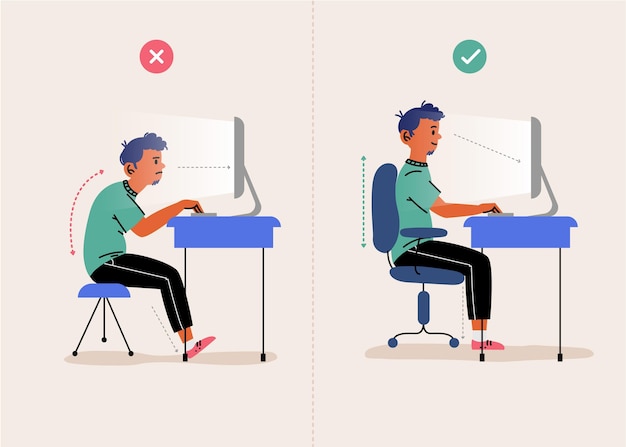
Monitor Position: Position your monitor about an arm’s length away and slightly below eye level.
Chair and Desk: Use a chair with good lumbar support and ensure your desk height allows for comfortable typing.
5. Take Regular Breaks
Scheduled Breaks
Routine Integration: Plan and schedule breaks at regular intervals throughout your workday. Aim for a short break every 20 to 30 minutes to give your eyes a rest from continuous screen focus.
Eye Rest: During breaks, consciously look away from your screen and focus on distant objects to relax your eye muscles. This practice helps prevent eye fatigue and allows your eyes to recover from prolonged work.
Physical Activity
Stretching and Movement: Incorporate light physical activities during breaks to reduce muscle tension and improve circulation. Simple stretches for your neck, shoulders, and back can alleviate stiffness caused by prolonged sitting.
Eye Exercises: Include gentle eye exercises in your breaks, such as rolling your eyes clockwise and counterclockwise, or focusing on near and far objects alternately. These exercises help maintain flexibility and reduce strain on your eye muscles.
6. Use Blue Light Filters
Screen Filters: Apply blue light filters or use software to reduce blue light emission from screens, especially in the evening.
Blue Light Glasses: Consider wearing glasses with blue light-blocking lenses, which can help reduce eye strain.
FAQ
Why is digital eye strain a concern while working from home?
Digital eye strain, or computer vision syndrome, can occur due to prolonged use of digital devices like computers, laptops, and smartphones. Working from home often involves extended screen time, which can lead to symptoms such as eye fatigue, headaches, and blurred vision.
What are the common symptoms of digital eye strain?
Symptoms of digital eye strain include tired, dry, or sore eyes, headaches, blurry vision, and neck or shoulder pain. These symptoms can worsen with prolonged screen use and may affect productivity and comfort.
How can I set up my workstation to prevent digital eye strain?
Ensure your monitor is positioned about an arm’s length away and slightly below eye level. Adjust screen brightness and contrast to match the ambient light. Use curtains or blinds to control natural light and avoid glare from windows. Additionally, use a desk lamp with adjustable brightness for focused tasks.
What is the 20-20-20 rule, and how does it help?
The 20-20-20 rule suggests taking a break every 20 minutes to look at an object at least 20 feet away for at least 20 seconds. This practice helps reduce eye muscle fatigue and prevents eye strain by giving your eyes a chance to relax and refocus.
Should I use blue light filters or special glasses to prevent digital eye strain?
Blue light filters for screens and special glasses with blue light-blocking lenses can help reduce exposure to harmful blue light emitted by digital devices. These tools can be beneficial, especially when working in the evening or under artificial lighting.
Visit Pushpanjali Eye Care, the Best Eye Hospital in Kolkata
As one of the best eye hospitals in Kolkata, Pushpanjali Eye Care offers comprehensive eye care services to help you maintain optimal eye health. Whether you’re experiencing symptoms of digital eye strain or need routine eye check-ups, our experienced ophthalmologists and advanced diagnostic equipment ensure personalized care.
Conclusion
Preventing digital eye strain while working from home is crucial for maintaining long-term eye health and productivity. By following these tips and regularly visiting a trusted eye hospital in Kolkata like Pushpanjali Eye Care, you can mitigate the effects of digital eye strain and enjoy comfortable, productive screen time.
Welcome to the blog page of Pushpanjali Eye Care, one of the best eye hospitals in Kolkata. Here, in this blog, we will share with you the basic knowledge about digital eye strain and how to treat them. Let’s dive into it.
In the digital age, the omnipresence of screens in our daily lives is undeniable. Our eyes are constantly exposed to digital devices, from smartphones to tablets to computers and televisions. This continuous exposure can lead to a condition known as digital eye strain, or computer vision syndrome. At Pushpanjali Eye Hospital, one of the best eye hospitals in Kolkata, we aim to educate our patients about this common issue and provide effective solutions to alleviate it.
Digital eye strain, also known as computer vision syndrome, encompasses a range of eye and vision-related issues that arise from extended use of digital screens. This condition is a direct result of several contributing factors, such as poor lighting, excessive screen glare, improper viewing distances, and uncorrected vision problems. The human eye is not naturally adapted to staring at digital screens for long periods, leading to discomfort and visual disturbances. As screens have become an integral part of our daily lives for work, education, and leisure, the prevalence of digital eye strain has significantly increased.
The reliance on digital devices has surged, making digital eye strain a widespread and growing concern. Whether it’s for professional tasks, online learning, or recreational activities like gaming and streaming, our eyes are subjected to prolonged screen exposure. This continuous exposure demands constant focus and accommodation, straining the eye muscles and causing fatigue. Moreover, the blue light emitted by screens can further exacerbate eye strain and disrupt sleep patterns. Recognizing and addressing digital eye strain is essential to maintain eye health and overall well-being in today’s technology-driven world.
Symptoms of Digital Eye Strain
Recognizing the symptoms of digital eye strain is crucial for timely intervention and effective management. Here are the most common symptoms:
Eye Discomfort: Persistent eye discomfort or irritation is a hallmark of digital eye strain. This can manifest as a feeling of burning, itching, or general eye soreness after prolonged screen use.
Dry Eyes: Reduced blinking rates while using screens can lead to dry, irritated eyes. Blinking helps to moisten the eyes, and staring at screens tends to decrease this natural reflex, causing dryness and discomfort.
Headaches: Prolonged screen use can cause frequent headaches or migraines. The strain on the eyes from focusing on screens for long periods can lead to tension headaches, making it difficult to concentrate on tasks.
Blurred Vision: Difficulty in focusing and intermittent blurred vision are common complaints. This symptom can occur due to the eyes’ continuous effort to focus on the small text and images on screens, leading to visual fatigue.
Neck and Shoulder Pain: Poor posture while using digital devices can result in neck and shoulder pain. This occurs because many people tend to hunch over their devices, leading to muscle strain and discomfort in the neck and shoulders.
Light Sensitivity: Increased sensitivity to light, also known as photophobia, may occur. This symptom is characterized by discomfort or pain in the eyes when exposed to bright lights, both from screens and ambient sources.
If you experience any of these symptoms, it’s essential to consult with an eye care professional at Pushpanjali Eye Hospital, one of the best eye hospitals in Kolkata, for a comprehensive eye examination. Early diagnosis and appropriate treatment can significantly alleviate discomfort and prevent long-term damage, ensuring that your vision remains healthy despite the demands of the digital age.
Causes of Digital Eye Strain
Several factors contribute to the development of digital eye strain. Understanding these causes can help in mitigating the symptoms and preventing further discomfort. Here are the primary causes:
Screen Glare: Reflections and glare from digital screens can cause significant eye discomfort. Glare occurs when light reflects off the screen surface, creating visual “noise” that makes it harder for the eyes to focus, leading to strain and fatigue.
Poor Lighting: Insufficient or excessive lighting can strain the eyes. Poorly lit environments force the eyes to work harder to see the screen, while overly bright surroundings can create glare and reflections, both contributing to eye strain.
Improper Viewing Distance: Sitting too close or too far from the screen can lead to eye strain. The optimal viewing distance is crucial; too close puts extra demand on the eye muscles to focus, while too far makes the eyes strain to read small text and details.
Extended Screen Time: Prolonged use of digital devices without taking breaks exacerbates symptoms of digital eye strain. Continuous focus on screens tires the eye muscles, leading to fatigue, discomfort, and other related symptoms.
Uncorrected Vision Problems: Undiagnosed refractive errors, such as nearsightedness (myopia) or astigmatism, can intensify eye strain. These vision problems force the eyes to work harder to achieve clear vision, especially when looking at screens for long periods.
Understanding these causes can help in taking preventive measures to reduce digital eye strain. If you are experiencing symptoms, it is advisable to consult an eye care professional at Pushpanjali Eye Hospital, a leading eye hospital in Kolkata, to address any underlying issues and receive appropriate guidance for managing eye strain effectively.
How to Treat Digital Eye Strain
At Pushpanjali Eye Hospital, we recommend several strategies to alleviate and prevent digital eye strain:
Follow the 20-20-20 Rule: Every 20 minutes, take a 20-second break and look at something 20 feet away. This simple practice can help reduce eye fatigue.
Adjust Screen Settings: Optimize the brightness, contrast, and font size on your devices to ensure comfortable viewing.
Proper Lighting: Use adequate lighting to minimize screen glare. Position your screen to avoid reflections from windows or overhead lights.
Maintain Good Posture: Ensure that your computer screen is at eye level and a comfortable distance. Use an ergonomic chair to support proper posture.
Blink Frequently: Consciously blinking more often can help keep your eyes moist and prevent dryness.
Use Artificial Tears: Over-the-counter lubricating eye drops can alleviate dryness and irritation.
Regular Eye Exams: Schedule regular eye check-ups at Pushpanjali Eye Hospital, one of the best eye hospitals in Kolkata, to detect and correct any vision problems.
When to Seek Professional Help
If your symptoms persist despite following these preventive measures, it is crucial to seek professional help. At Pushpanjali Eye Hospital, a renowned eye hospital in Kolkata, our experienced ophthalmologists are equipped to diagnose and treat digital eye strain effectively. We offer comprehensive eye examinations and personalized treatment plans to address your specific needs.
FAQ
1. What is digital eye strain, and what causes it?
Answer: Digital eye strain, also known as computer vision syndrome, refers to a collection of eye and vision-related problems that result from prolonged use of digital screens. Several factors contribute to this condition, including screen glare, poor lighting, improper viewing distances, extended screen time without breaks, and uncorrected vision problems like nearsightedness or astigmatism.
2. What are the common symptoms of digital eye strain?
Answer: The most common symptoms of digital eye strain include persistent eye discomfort or irritation, dry eyes due to reduced blinking, frequent headaches or migraines, blurred vision, neck and shoulder pain from poor posture, and increased sensitivity to light (photophobia). Recognizing these symptoms early is essential for timely intervention.
3. How can I prevent or reduce digital eye strain?
Answer: Preventing or reducing digital eye strain can be achieved through several measures. Follow the 20-20-20 rule: every 20 minutes, take a 20-second break and look at something 20 feet away. Adjust screen settings to optimize brightness and contrast, ensure proper lighting to minimize glare, maintain a comfortable viewing distance, and adopt good posture. Additionally, using artificial tears can help keep the eyes moist.
4. When should I seek professional help for digital eye strain?
Answer: If you experience persistent symptoms of digital eye strain despite implementing preventive measures, it is crucial to seek professional help. Consult an eye care professional at Pushpanjali Eye Hospital, one of the best eye hospitals in Kolkata, for a comprehensive eye examination. Early diagnosis and appropriate treatment can significantly alleviate discomfort and prevent long-term damage.
5. What treatments are available for digital eye strain?
Answer: Treatments for digital eye strain vary depending on the underlying causes and severity of the symptoms. Common treatments include using prescription glasses designed for screen use, applying lubricating eye drops to alleviate dryness, adjusting screen settings and workspace ergonomics, and following a structured schedule of screen breaks. An eye care professional can provide personalized recommendations based on a thorough examination.
Conclusion
Digital eye strain is a common but manageable condition. By understanding the symptoms and causes, and by implementing preventive measures, you can protect your eyes from the adverse effects of prolonged screen use. At Pushpanjali Eye Hospital, our commitment to providing top-notch eye care makes us one of the best eye hospitals in Kolkata. Trust us to help you maintain optimal eye health in the digital age.
For more information or to schedule an appointment, visit Pushpanjali Eye Hospital, the leading eye hospital in Kolkata, dedicated to preserving and enhancing your vision.
Welcome to the blog page of Pushpanjali Eye Care, one of the best eye care hospitals in Kolkata. We will discuss about Digital Eye Strain Care in this Blog. Here, you will find a wealth of educational eye care blogs designed to provide you with valuable insights and practical tips. Whether you are searching for solutions to digital eye strain or are interested in eye care tips for remote workers, you’ve come to the right place.
Explore our page for eye health guides. For personalized care, book an online appointment with our ophthalmologists by clicking the appointment button. Your eye health is our priority.
Table of Contents
Introduction
In today’s digital world, remote work has become increasingly common. While it offers numerous benefits, such as flexibility and convenience, it also poses challenges to our eye health. Did you know that more than 70% of remote workers report experiencing digital eye strain? Extended screen time can cause discomfort and affect productivity, making it crucial to adopt effective eye care practices.
Discover how you can protect your eyes and enhance your work-from-home experience. Our guide provides practical tips to help manage and reduce digital eye strain. From proper screen settings and regular eye exercises to blue light management and effective break schedules, we’ve got you covered. Dive in to learn more about maintaining optimal eye health in a digital world.
What Is Digital Eye Strain?
Digital eye strain, also known as computer vision syndrome, refers to a group of eye and vision-related problems resulting from prolonged use of digital devices such as computers, tablets, and smartphones. As our dependence on these devices increases, so does the prevalence of digital eye strain, especially among remote workers who spend extended hours in front of screens.
Symptoms of Digital Eye Strain
Common symptoms of digital eye strain include:
Dry Eyes: Prolonged screen time can reduce blinking rates, leading to dryness and irritation.
Blurred Vision: Difficulty focusing on digital screens can cause temporary blurriness.
Headaches: Eye strain and prolonged screen use can lead to frequent headaches.
Eye Fatigue: Continuous use of digital devices can make your eyes feel tired and heavy.
Neck and Shoulder Pain: Poor posture while using digital devices can contribute to discomfort in the neck and shoulders.
Causes of Digital Eye Strain
The primary causes of digital eye strain include:
Poor Lighting and Glare: Improper lighting and excessive screen glare can increase strain on your eyes.
Inadequate Blinking: Focusing on screens often reduces the blink rate, leading to dry and irritated eyes.
Improper Viewing Distances: Sitting too close or too far from the screen can make it harder for your eyes to focus.
Extended Screen Time: Long hours spent staring at screens can overwork your eyes.
Prevent Digital Eye Strain While Working from Home?
Working from home has its perks, but it also comes with the challenge of increased screen time, which can lead to digital eye strain. Preventing digital eye strain is crucial for maintaining both comfort and productivity. By making a few simple adjustments to your workspace and incorporating healthy habits into your daily routine, you can significantly reduce the risk of digital eye strain. This section will provide practical tips and strategies to help you protect your eyes while enjoying the benefits of remote work.
Preventing digital eye strain is crucial for maintaining your eye health and overall wellbeing.
Here are some strategies to consider:
Follow the 20-20-20 Rule
To give your eyes regular breaks, follow the 20-20-20 rule. Every 20 minutes, look at something 20 feet away for at least 20 seconds. This helps to reduce eye fatigue by allowing your eyes to relax. This rule is widely recommended by eye care professionals and supported by the American Optometric Association as an effective method to combat digital eye strain (All About Vision) (All About Vision).
Maintaining Proper Lighting to Prevent Digital Eye Strain
Proper lighting is crucial in preventing digital eye strain while working from home. Ensuring your workspace is well-lit can significantly reduce eye discomfort and improve productivity. Here are some tips to help you achieve optimal lighting conditions in your home office:
Use Natural Light Wisely
Natural light is one of the best sources of illumination, but it needs to be managed carefully to avoid glare. Position your workstation perpendicular to windows to prevent direct sunlight from hitting your screen. Use blinds or curtains to diffuse the light and reduce harsh shadows and reflections.
Avoid Low-Light Conditions
Working in dim lighting forces your eyes to work harder, leading to eye strain and fatigue. Make sure your workspace is adequately lit, especially during the evening. Use a combination of ambient lighting and task lighting to create a balanced environment. Overhead lights can provide general illumination, while a desk lamp can offer focused light for your work area.
Manage Glare and Reflections
Glare from windows or overhead lights can cause significant discomfort and strain your eyes. To minimize glare, consider using an anti-glare screen protector on your monitor. Adjust your screen’s angle to reduce reflections and ensure that bright light sources are not directly in your line of sight.
Use Adjustable Desk Lamps
A desk lamp with adjustable brightness allows you to control the amount of light on your workspace. Choose a lamp with a flexible neck so you can direct the light exactly where you need it. This can help reduce shadows and provide a consistent level of illumination.
Maintain Consistent Lighting
Ensure that the lighting in your workspace is even and consistent. Avoid sharp contrasts between the brightness of your screen and the surrounding environment, as this can cause your eyes to constantly adjust. Aim for a balanced lighting setup that reduces strain and creates a comfortable working atmosphere.
By maintaining proper lighting in your home office, you can create a more comfortable and productive work environment. For more personalized advice and eye care tips, consider booking an online appointment with the experienced ophthalmologists at Pushpanjali Eye Care. Your eye health is our priority.
Position Your Screen Correctly
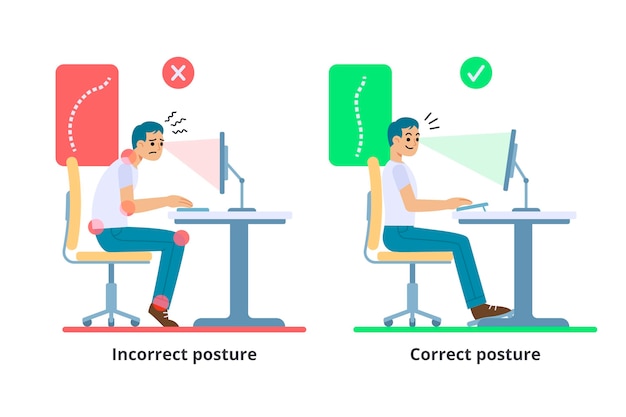
Proper screen positioning is essential for minimizing physical strain during extended computer use. Position your monitor 20 to 30 inches away from your eyes to prevent eye strain from screens that are too close or too far. Keep the top of the screen at or slightly below eye level to reduce neck strain and tension headaches. Tilting the screen backward 10 to 20 degrees matches your eyes’ natural downward angle, promoting better posture and reducing the risk of back and shoulder pain. Correct screen placement creates an ergonomic workstation that enhances productivity and comfort while reducing the likelihood of repetitive strain injuries.
Use Anti-Glare Screens
Anti-glare screens reduce monitor glare, improving visibility and reducing eye strain in bright environments. They enhance contrast for sharper text and images, enhancing eye comfort and preventing headaches from prolonged screen use. Anti-glare screens support productivity by promoting a natural posture, reducing the need for constant adjustments. Available in various sizes and types, they are easy to install and versatile for users seeking a practical screen solution.
What Are the Best Eye Exercises to Reduce Digital Eye Strain?
Eye exercises can help alleviate digital eye strain by improving eye flexibility and strength.
Here are some effective exercises:
Blinking
Blinking keeps your eyes moist and prevents dryness and irritation. Make a conscious effort to blink more often when working on a screen.
Focus Change
Hold your finger a few inches from your eye and focus on it. Then, shift your focus to an object farther away. Repeat this exercise several times to improve your focus flexibility.
Eye Rolling
Roll your eyes in a circular motion, first clockwise and then counterclockwise. This helps relax the eye muscles and relieve tension.
Why Is Blue Light Harmful and How Can You Protect Your Eyes?
Understanding Blue Light
Blue light, a high-energy visible (HEV) light, is emitted by digital screens such as those on computers, smartphones, and tablets. Unlike other types of light, blue light penetrates deep into the eye, reaching the retina. Prolonged exposure to blue light can cause digital eye strain, characterized by symptoms such as dry eyes, blurred vision, and headaches. Additionally, blue light exposure, especially in the evening, can disrupt sleep patterns by interfering with the production of melatonin, the hormone that regulates sleep.
Scientific Facts
Research indicates that blue light exposure from digital screens can have adverse effects on eye health and sleep. A study published in the journal *Ophthalmic and Physiological Optics* found that blue light contributes significantly to digital eye strain and retinal damage . Moreover, the journal *Sleep Medicine Reviews* highlights how blue light exposure in the evening can suppress melatonin production, leading to difficulties in falling asleep and poorer sleep quality . Reducing screen time before bed and using blue light filters can help mitigate these effects.
Blue Light Management Tips
Use Blue Light Filters: Many devices have builtin blue light filters or “night mode” settings that reduce blue light emission.
Wear Blue Light Blocking Glasses: These glasses can block or filter out blue light, reducing its impact on your eyes.
Limit Screen Time Before Bed: Avoid using screens at least an hour before bedtime to reduce blue light exposure and improve sleep quality.
Which Screen Settings Can Help Reduce Digital Eye Strain?
Optimizing your screen settings can make a significant difference in reducing eye strain.
Consider the following adjustments:
Adjust Brightness and Contrast
Set your screen brightness to match the lighting in your workspace. Too much brightness can cause glare, while too little can strain your eyes. Adjust the contrast to ensure text and images are clear and sharp.
Use Larger Text
Increase the text size on your screen to reduce the need for squinting and make reading more comfortable.
Enable Dark Mode
Dark mode reduces the amount of blue light emitted and can be easier on the eyes, especially in lowlight conditions.
How Often Should You Take Breaks to Prevent Digital Eye Strain?
Regular breaks are essential for preventing digital eye strain. Here are some guidelines:
Short Breaks
Take a short break every 20 minutes to rest your eyes. Stand up, stretch, and look away from your screen.
Longer Breaks
Incorporate longer breaks into your workday. For every hour of screen time, take a 510 minute break to relax your eyes and body.
Eye Exercises During Breaks
Use break time to perform eye exercises, such as focusing on distant objects or practicing eye rolling, to keep your eyes healthy and reduce strain.
Seasonal Eye Care Advice
Different seasons can affect your eye health in various ways, presenting unique challenges and requiring specific care strategies. For instance, spring and fall allergies can lead to increased eye irritation, while winter’s dry air can cause dryness and discomfort. Here are some seasonal tips to help you maintain optimal eye health throughout the year:
Winter
During winter, dry indoor air and cold outdoor conditions can cause eye dryness and irritation. Indoor heating systems lower humidity, leading to discomfort, redness, and a gritty feeling in the eyes. Using a humidifier helps maintain air moisture, easing winter dryness. Applying artificial tears or lubricating eye drops moisturizes the eyes and protects against harsh conditions. These steps improve eye comfort and health in winter, keeping your eyes hydrated and irritation-free.
Summer
In summer, protect your eyes with UV-blocking sunglasses to prevent conditions like cataracts and macular degeneration. Sunglasses shield against UV rays that can cause eye sunburn (photokeratitis). Stay hydrated to avoid dry eyes; dehydration increases tear evaporation, leading to discomfort. Drinking enough water helps maintain moisture for comfortable eyes. Combining sunglasses and hydration reduces summer eye damage and discomfort.
Spring and Fall
Seasonal allergies, prevalent in spring and fall, can worsen eye irritation with symptoms like itching, redness, and watery eyes due to increased pollen. Managing these symptoms involves using antihistamine eye drops and avoiding eye rubbing to prevent further irritation and maintain comfort.
Conclusion
Thank you for taking the time to read our blog on maintaining eye health. We hope you found these tips helpful in managing and reducing digital eye strain. By implementing these practices, such as taking regular breaks, adjusting your screen settings, and incorporating eye exercises into your daily routine, you can ensure that your eyes remain healthy and comfortable despite prolonged screen time.
Frequently Asked Questions about Digital Eye Strain
What is digital eye strain?
Digital eye strain, also known as computer vision syndrome, refers to a group of eye and vision-related problems that result from prolonged use of computers, tablets, e-readers, and smartphones. Symptoms include eye discomfort, headaches, blurred vision, and neck and shoulder pain.
How can I prevent digital eye strain?
To prevent digital eye strain, follow the 20-20-20 rule: every 20 minutes, take a 20-second break and look at something 20 feet away. Additionally, ensure your screen is at eye level, reduce glare with anti-glare screens, and adjust your screen’s brightness and contrast settings to match the lighting in your environment.
What are the best eye exercises for digital eye strain?
Eye exercises can help alleviate digital eye strain. The most effective exercises include focusing on distant objects to relax the eye muscles, blinking regularly to keep your eyes moist, and performing palming, where you cover your closed eyes with your palms for a few minutes to relax them.
Can blue light glasses help with digital eye strain?
Yes, blue light glasses can help reduce digital eye strain by filtering out the blue light emitted by digital screens. This light can cause eye fatigue and disrupt sleep patterns. Wearing blue light glasses, especially in the evening, can reduce eye strain and improve sleep quality.
Are there any dietary changes that can help with digital eye strain?
Certain nutrients can help improve eye health and reduce digital eye strain. Incorporating foods rich in omega-3 fatty acids, vitamins A, C, and E, and zinc into your diet can support eye health. Foods like fish, leafy greens, carrots, and nuts are excellent choices.
How long does it take for digital eye strain to go away?
The duration of digital eye strain varies depending on the severity and the steps taken to address it. If you follow recommended practices, such as taking regular breaks, adjusting your screen settings, and performing eye exercises, you may start to see improvement within a few days to a few weeks. If symptoms persist, consult an eye care professional.
We encourage you to keep visiting our blog page for more valuable information on eye care and overall wellness. If you are experiencing persistent digital eye strain and are in Kolkata, consider booking an appointment with us for personalized and effective solutions. Our expert team is dedicated to helping you achieve optimal eye health in this digital age.
 Golpark-Gariahat,Kolkata 700029
  pushpanjalieyecare@gmail.com


 9051155660
  All cashless eye surgery facilities available